Gerir os cookies que são utilizados para publicidade, como a personalização de anúncios, o remarketing e a análise de desempenho de anúncios.
4.3.9.1. Set up Mailspring mail client
Mailspring is an open source mail client for Windows, macOS, and Linux devices. Basic features are available for free, with advanced features available via subscription.
- If you are launching the mail client for the first time, create a Mailspring ID (an account in the Mailspring service) or log in with an existing one.
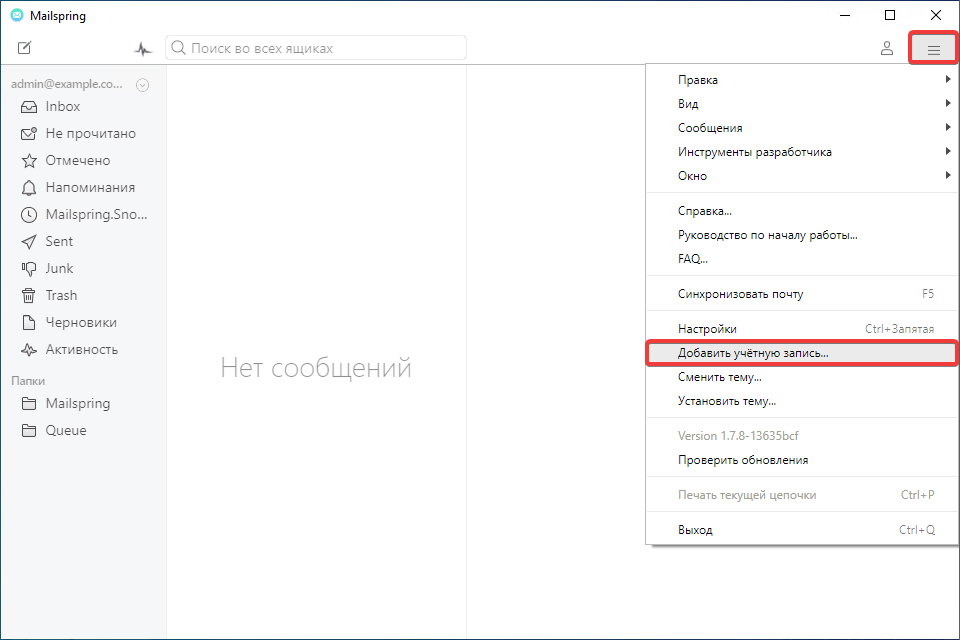
- In the app's main menu, select "Add account":
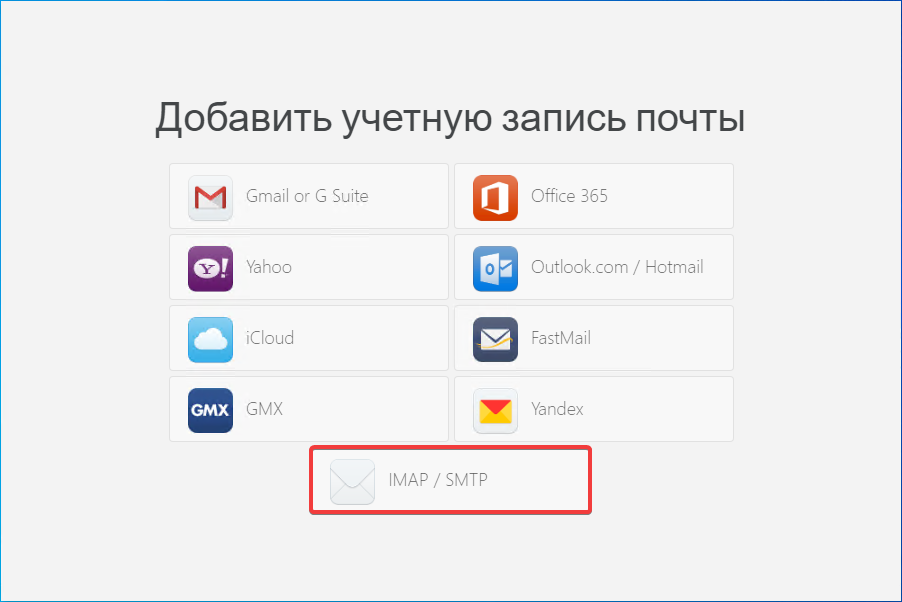
- Click "IMAP/SMTP":
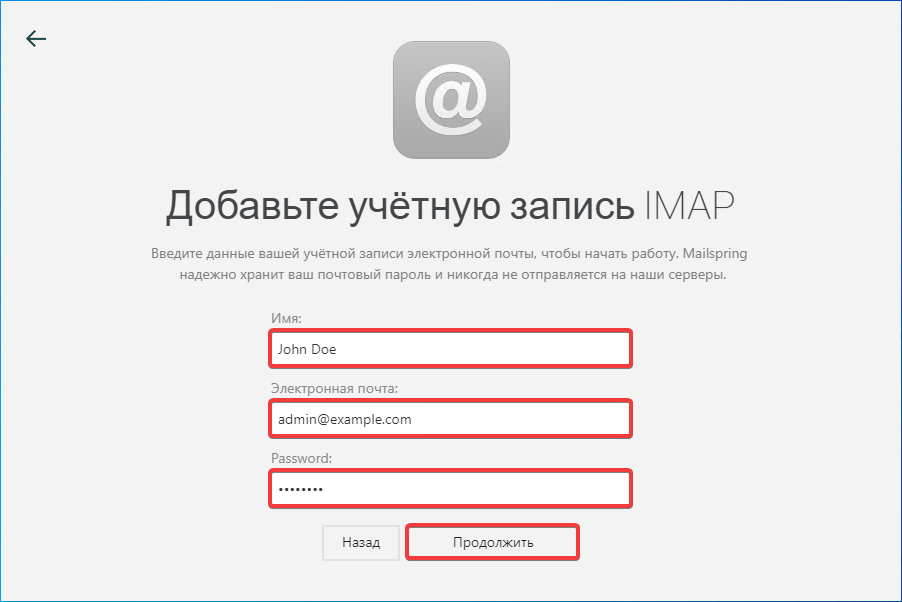
- Enter your name, mailbox name and password and click "Continue":
- Specify the connection settings and click "Add account":
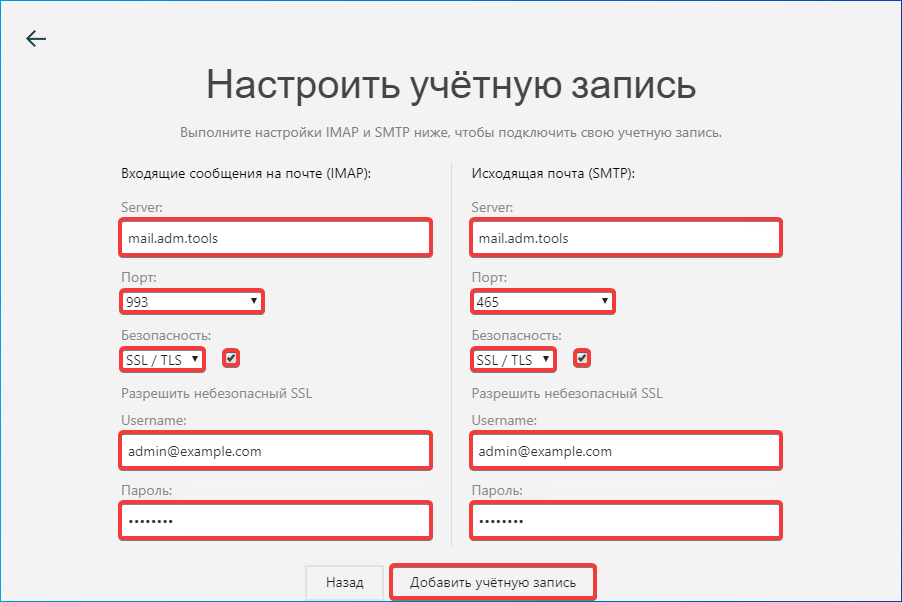
- "Incoming mail messages (IMAP)":
- "Server" —
mail.adm.tools. - "Port" — "993".
- "Security" — "SSL/TLS".
- "Allow insecure SSL" — enabled.
- "Username" — mailbox name.
- "Password" — mailbox password.
- "Outgoing mail (SMTP)":
- "Server" —
mail.adm.tools. - "Port" — "465".
- "Security" — "SSL/TLS".
- "Allow insecure SSL" — enabled.
- "Username" — mailbox name.
- "Password" — mailbox password.
- Check the mail operation.